
GPT for hardware engineering
A workflow study
Generative artificial intelligence (GenAI) has kick-started 2023 with a bang. But it has yet to prove its value for hardware engineers.
The limitation? Math and logic.
Although LLM-based tools like OpenAI’s ChatGPT, Microsoft Bing, and Google’s Bard are proving the first mass use of AI’s generative powers, they have proven already that what they say is not to be trusted.
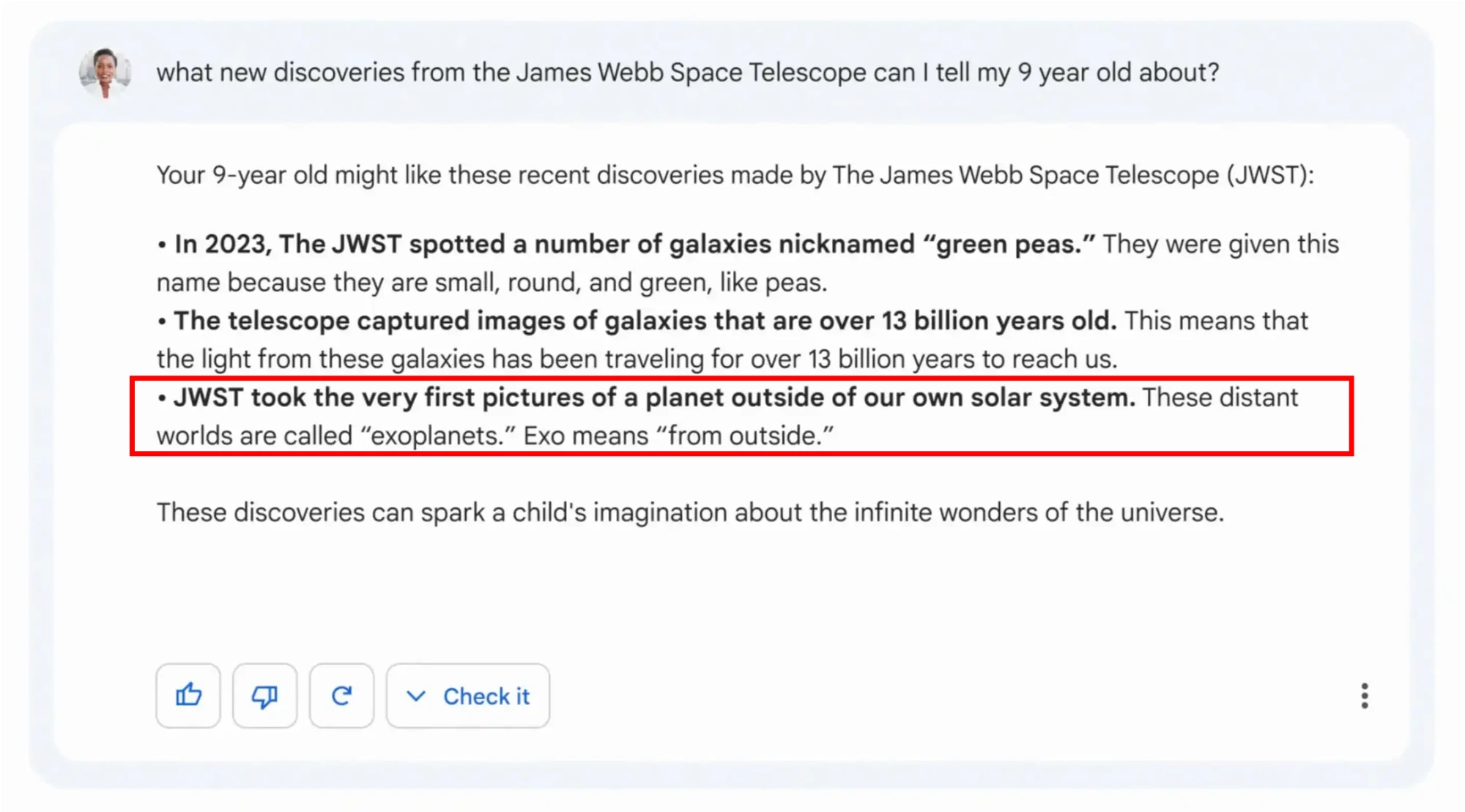
From what we can see, these tools still don’t work well with maths, logic and facts. However, I have isolated three main abilities for engineering work:
- Generating good enough quality text, tables, lists and very basic code (reliably).
- Analyzing bodies of text. This is great for: summarizing text, tagging, semantic analysis, interconnecting information, and much more.
- Transforming text. That being style transfer (change the writing style, personality, cadence, language, etc. of a text), turning text into bullet points, tables, etc. Merging multiple sources of text.
Ok, I’m being exhaustive here, but this will be useful for the account below.
Cheaper APIs
Recently, OpenAI announced their GPT 3.5 turbo API. They called it the ChatGPT API, and it can be found here: https://openai.com/blog/introducing-chatgpt-and-whisper-apis
Why is this important? Well: price.
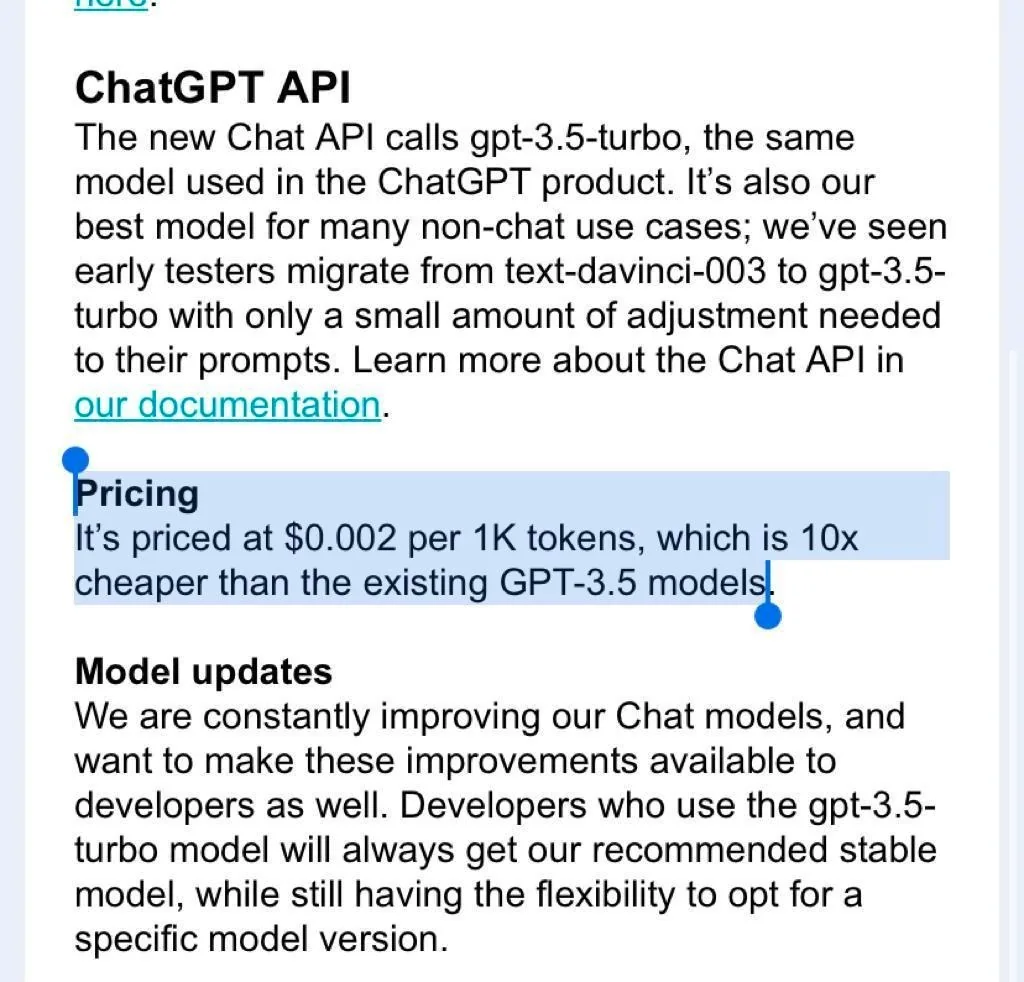
Not only is this API accessing the same model used in the ChatGPT product, it is 10x cheaper than the other existing GPT-3.5 models.
GPT + Google Sheets
Turns out, the new API is already available in the GPTforWork Google Docs Add-On that you can find here: https://gptforwork.com/.
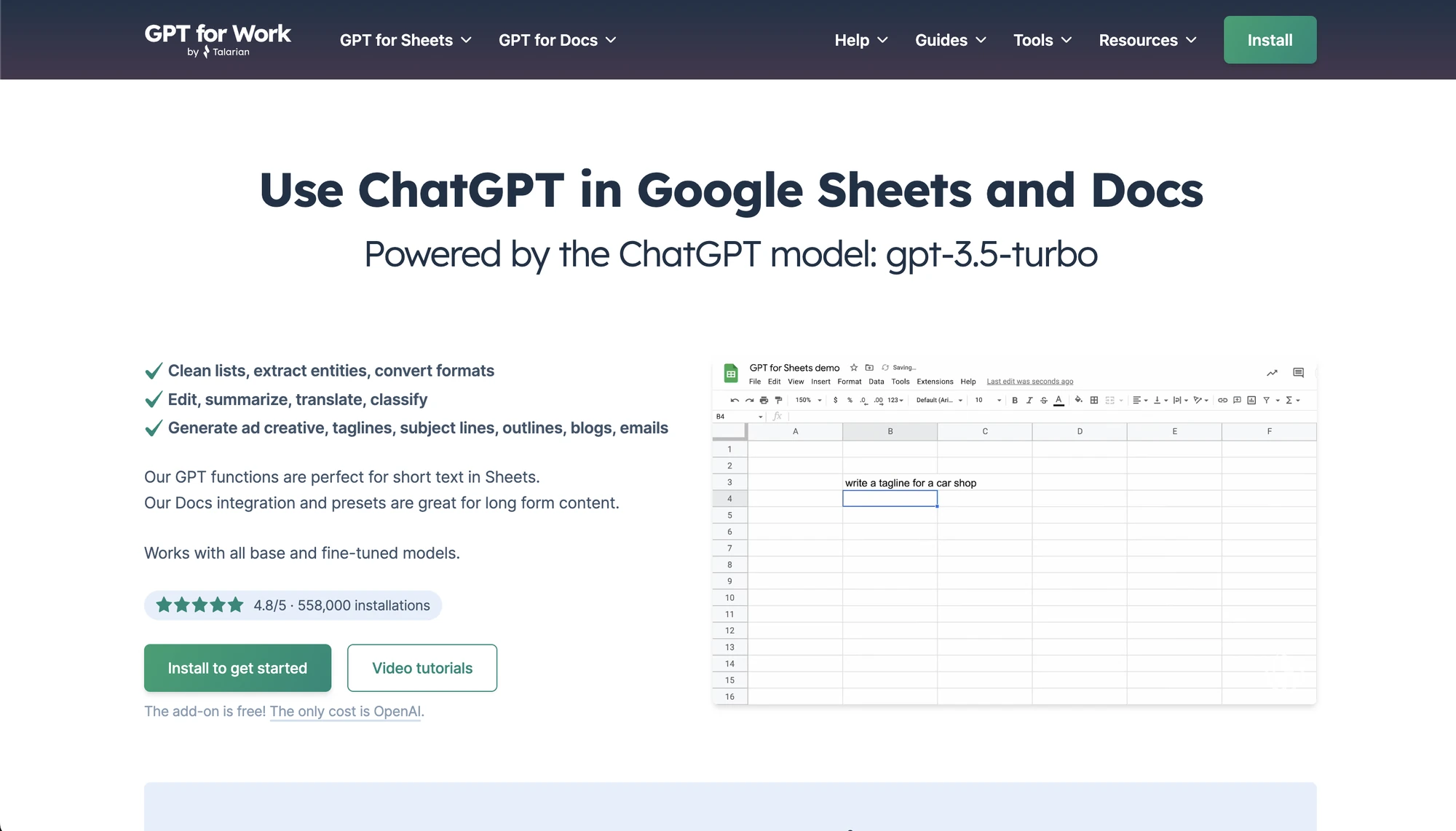

To get started, you need to:
- Create an account at OpenAI
- Click View API key
- Create a new secret key
- Install the GPTforWork add-on on Google Sheets and Docs
- Add the key
There are a few GPT Google Sheets functions. But we will mainly be using two: GPT() and GPT_TABLE().
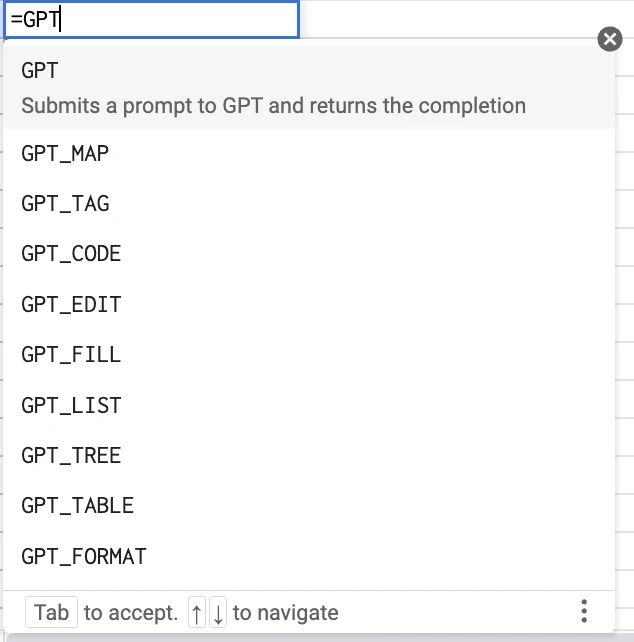
Designing a space mission with GPT and Google Sheets
Be advised that this mission is a simplified version and would require many more iterations and detail. However, it can give you a glimpse of how fast one can build this kind of document.
So let’s begin. First let me be clear on the goals of this article, in fact there are two goals:
1. Design a space mission – an Orbiter Spacecraft that will search for landing and drilling sites on Jupiter’s Moon Europa.
So basically, we will be designing something close to the Europa Clipper mission, with one difference: Clipper orbits Jupiter and flies past Europa many times, while ours would orbit Europa. More on this real life mission here: https://europa.nasa.gov/.
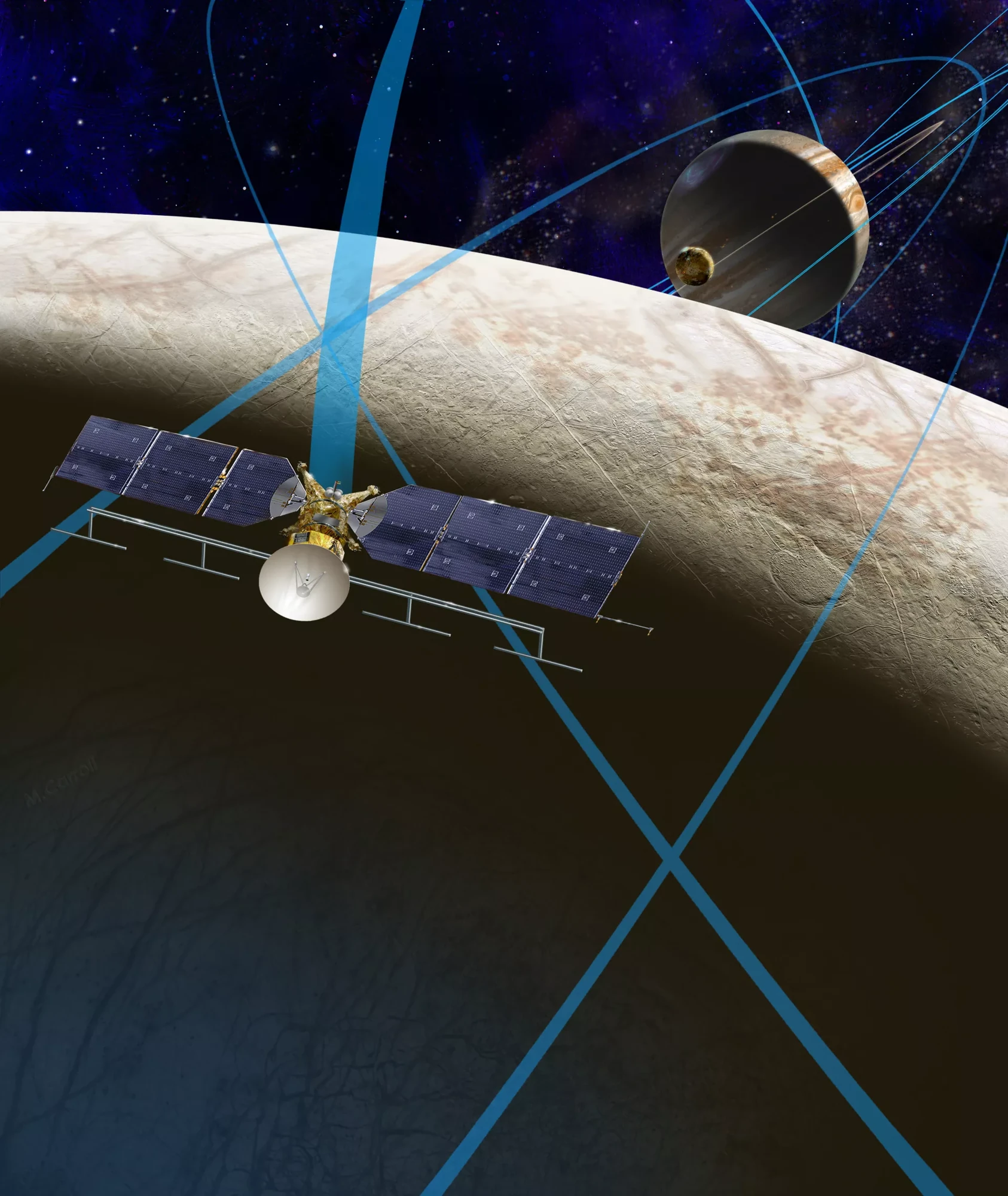
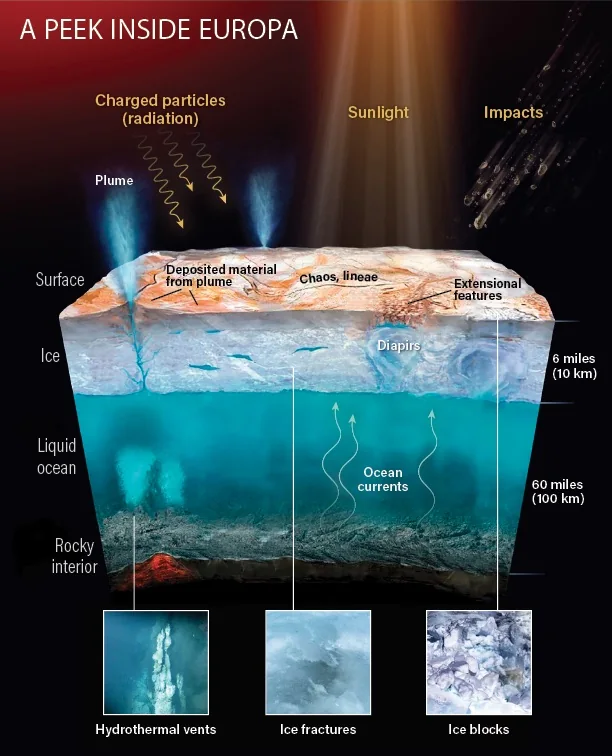
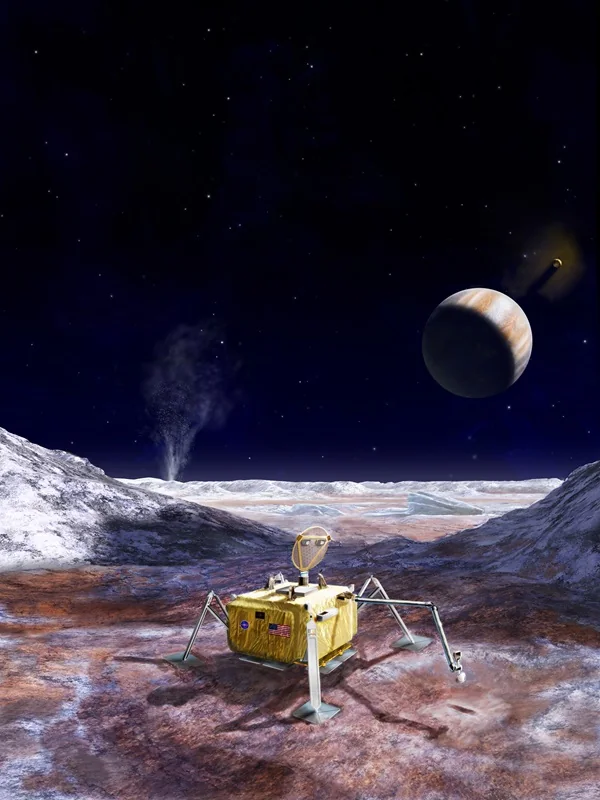
This way, the Clipper Mission will serve as a reference for what this new mission could be. This will serve as the “source for fact control” for this AI experiment.
2. Create a reusable workflow – This one is important as ideally this workflow should be useful not only in other space mission designs but in other hardware industry projects such as:
- space engineering
- consumer electronics
- automotive
- robotics
- construction.
The template
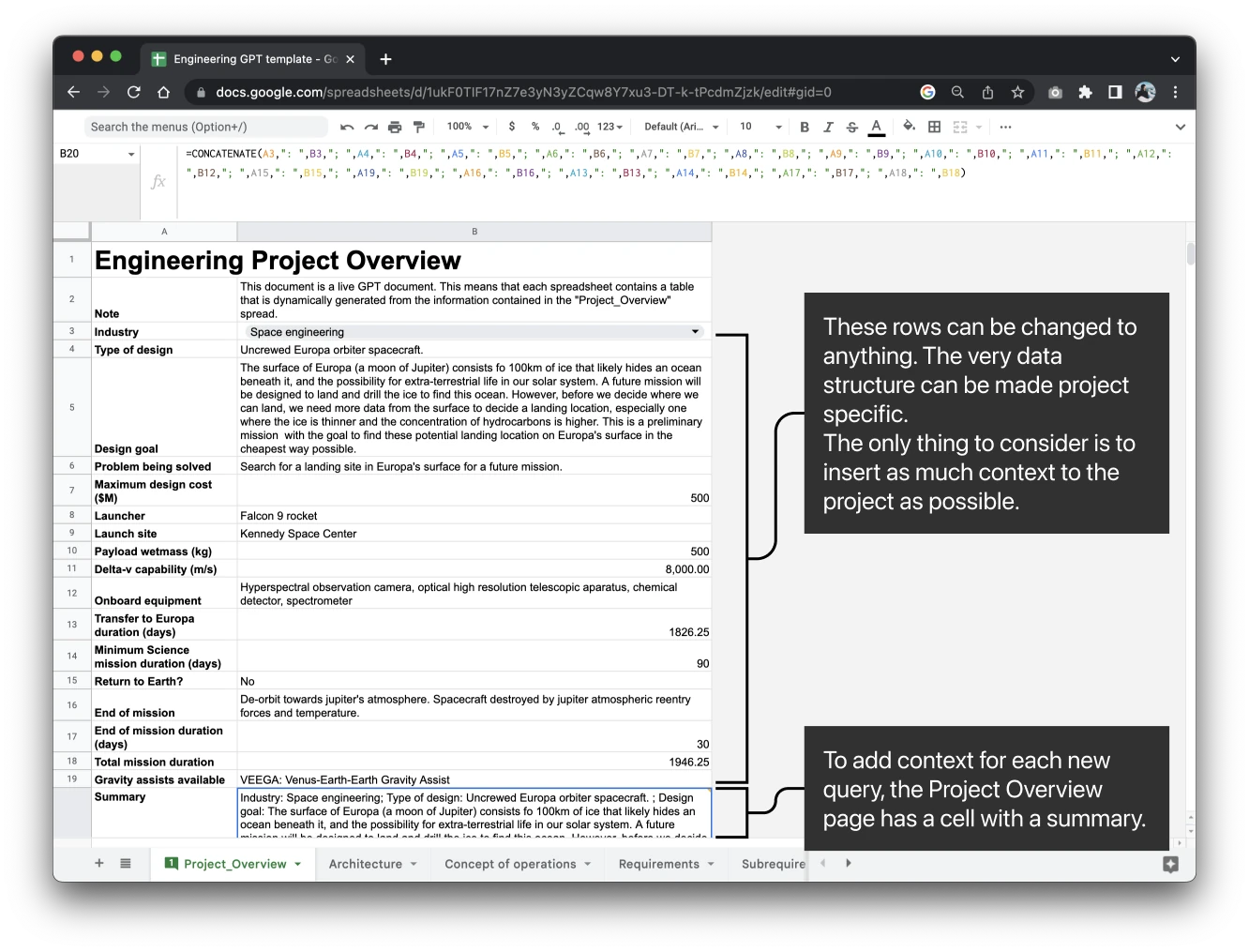
The Project Overview
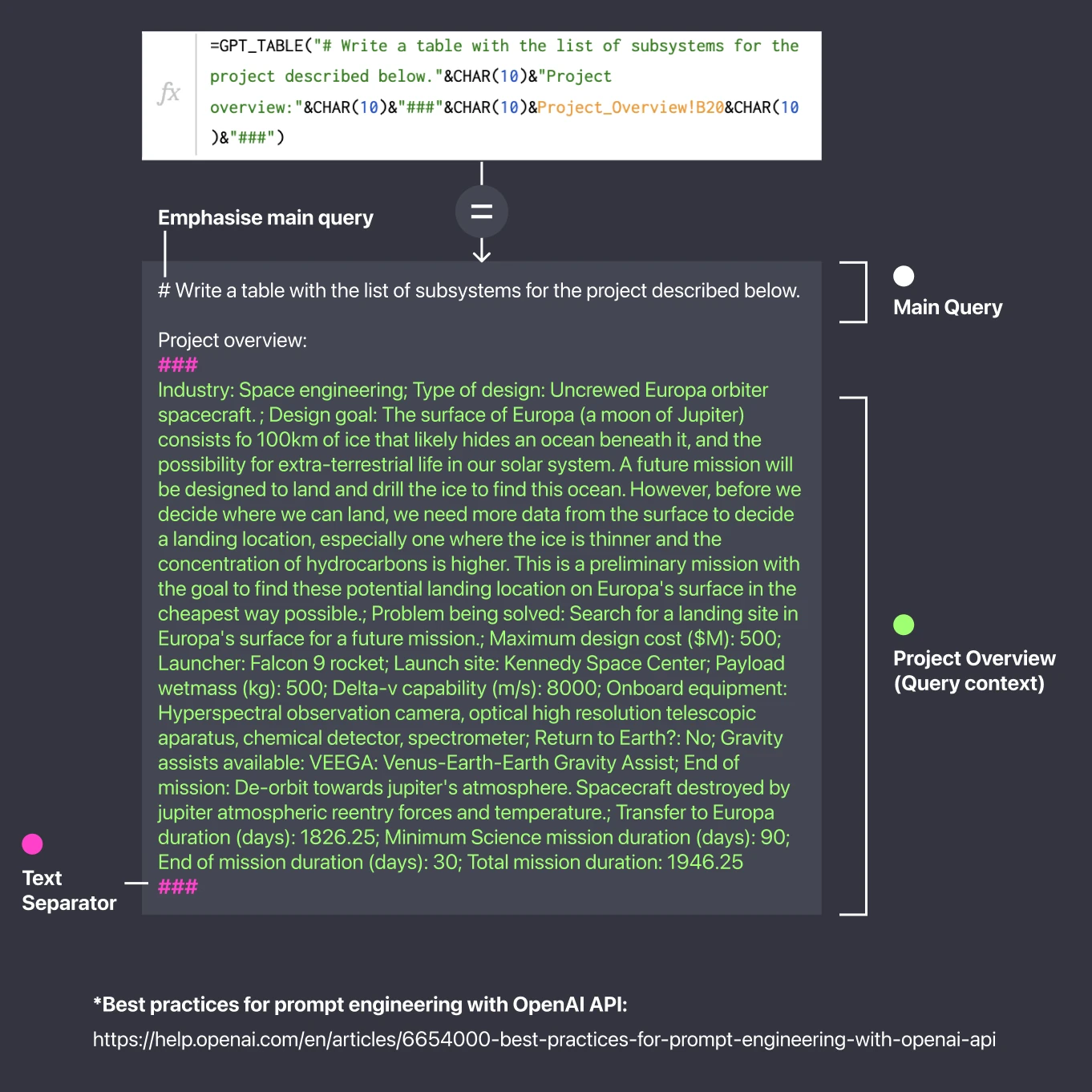
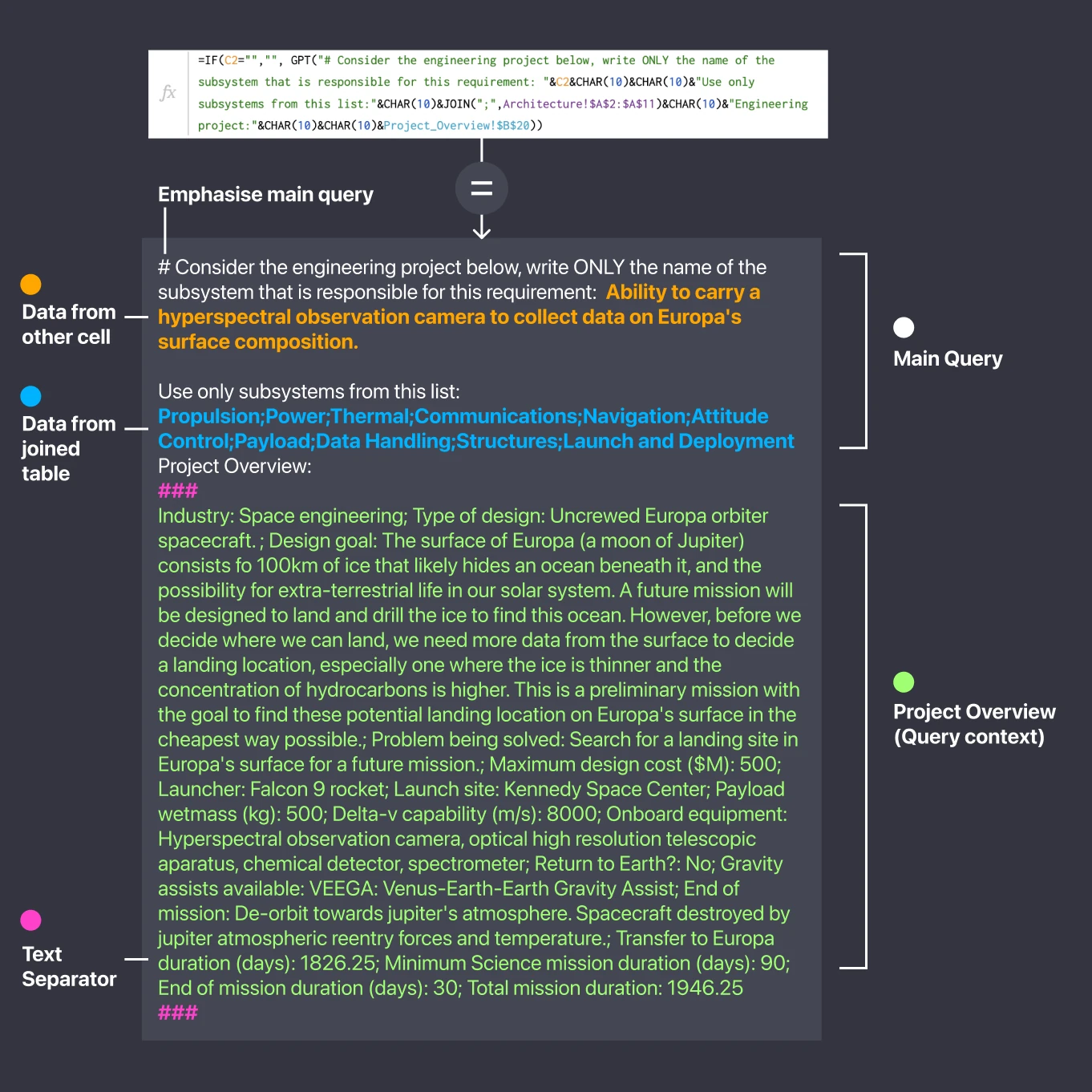
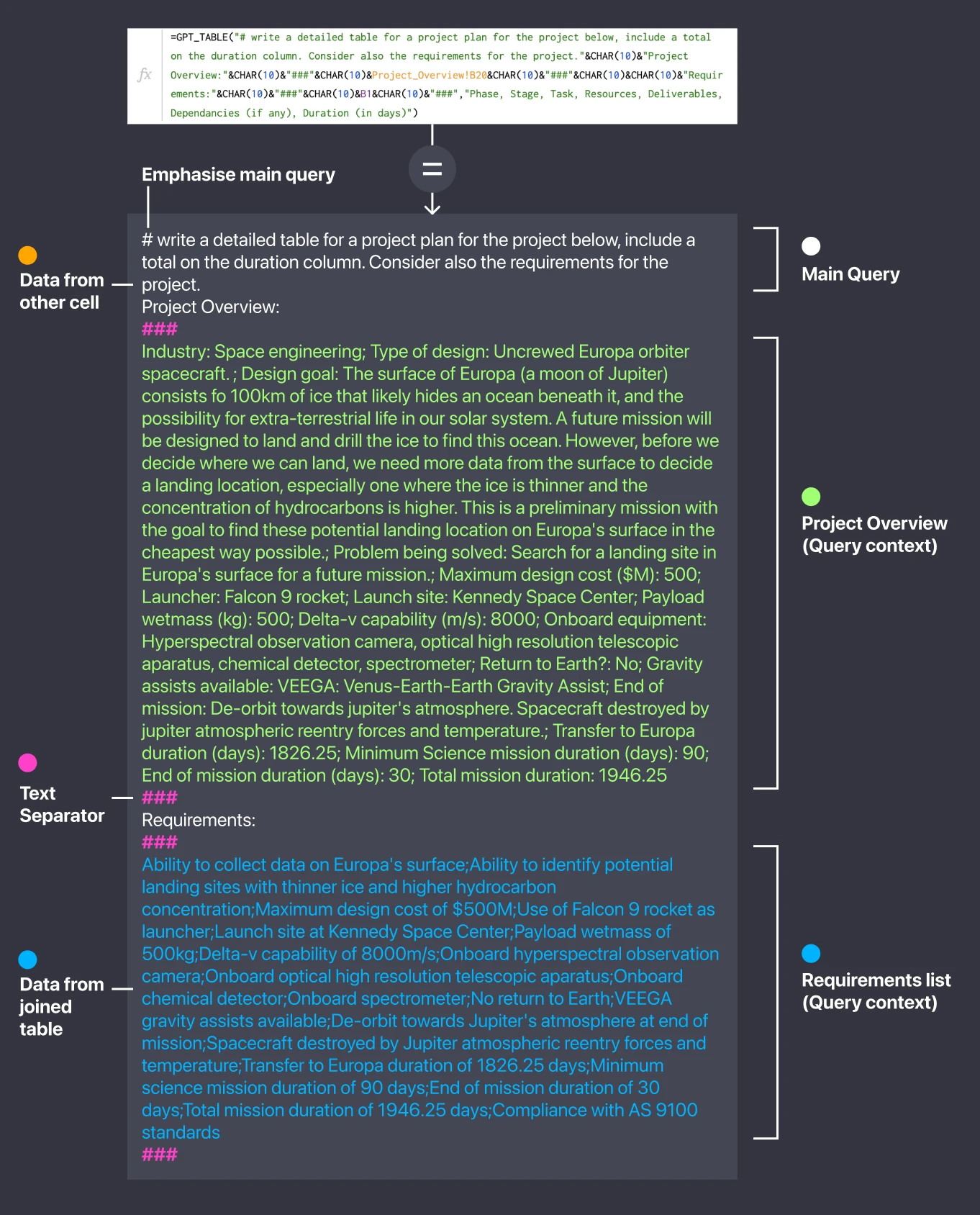
This page will work as a way to write in the context of the project. It will have a summary cell that will be inserted in every query we do to GPT. Yes, you read that well, since we are using GPT’s API, it doesn’t save context, so you need to explain everything in each query.
The cool part about using GPT is that we don’t need to preserve any type of data structure, as long as we provide enough information on the project. This is helpful if we want to use this page to describe a consumer electronics product, a robotic submarine, the design plan for a house with 3 bedrooms, etc.
Architecture
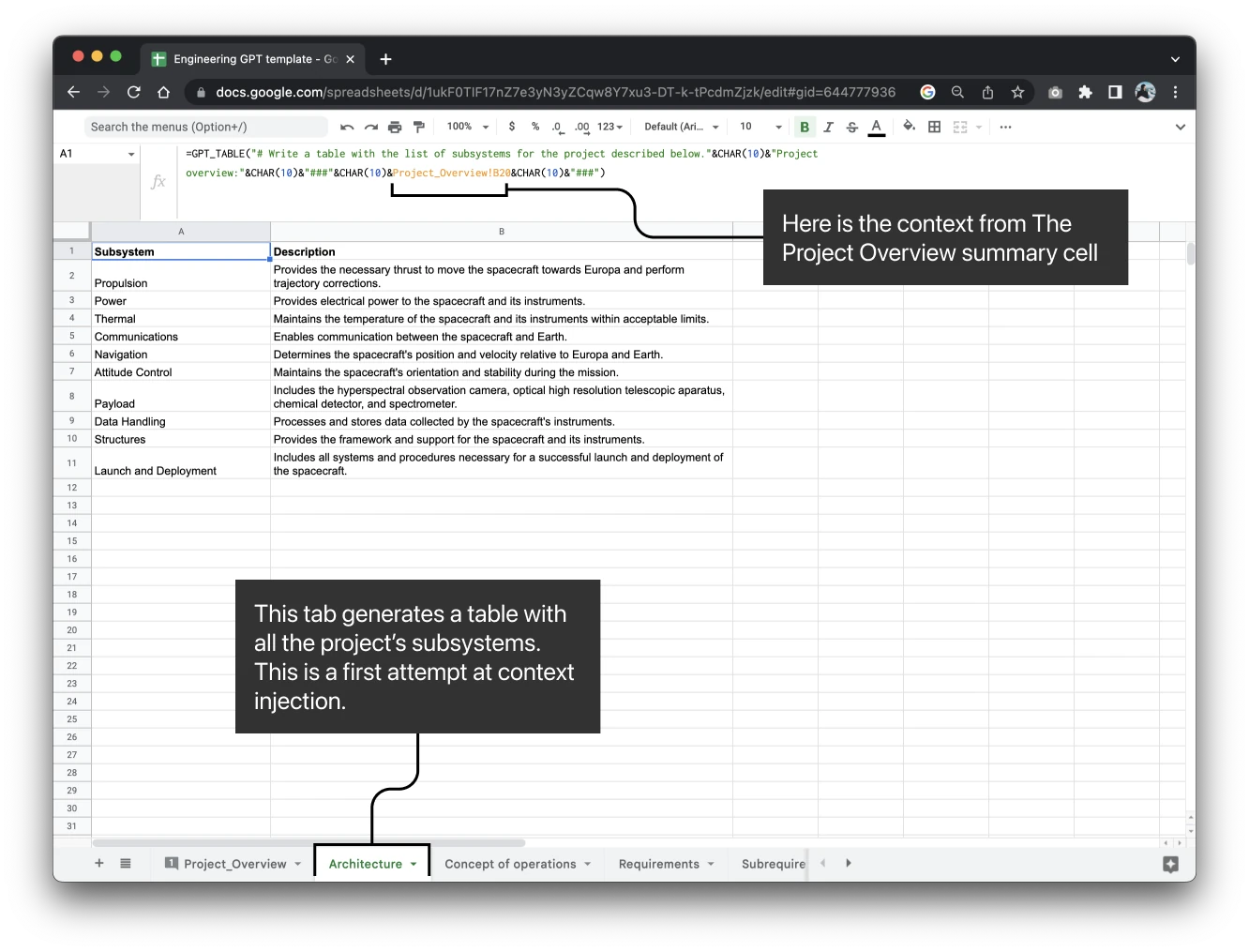
Let’s use all that context from the project to ask GPT’s API to create an architecture layout for us.
We will use the GPT_TABLE() function. Here’s how it will work:
Requirements
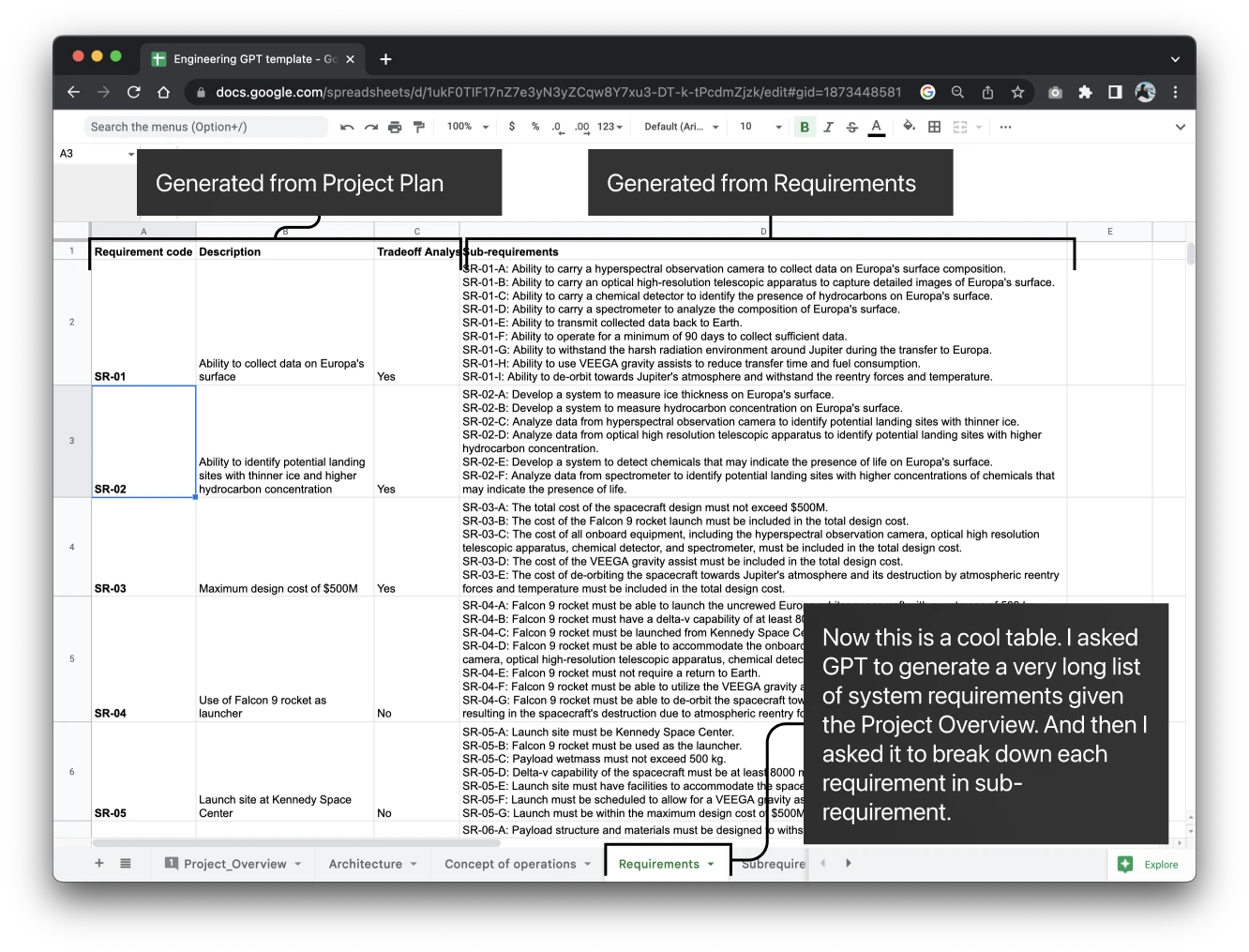
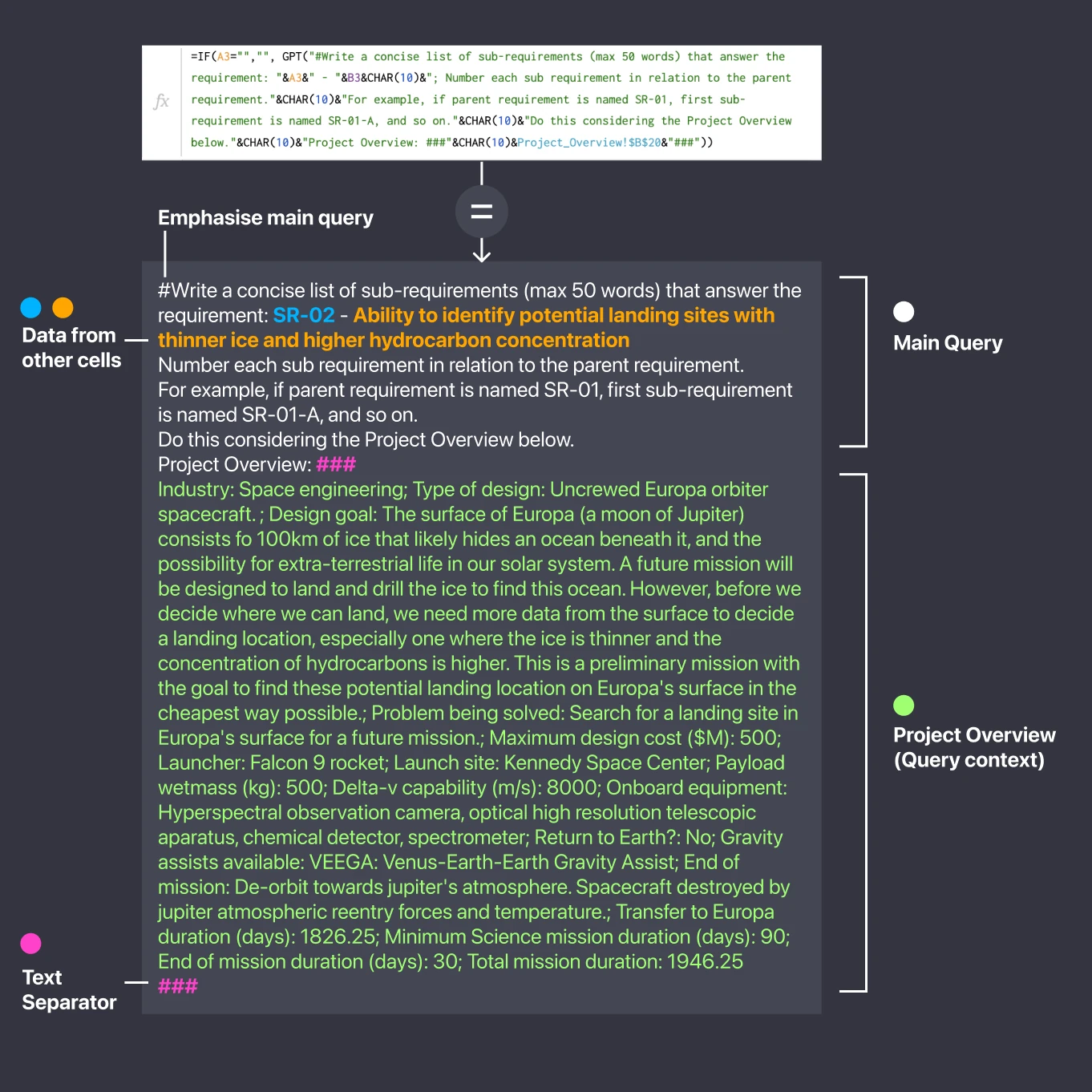
One of the first activities that is needed for a Preliminary mission design report is a “System concept and requirements document”. We will go through this in a simplified way for illustrative purposes.
For a more detailed workflow, you can check out Valispace’s features here: https://www.valispace.com/ai/
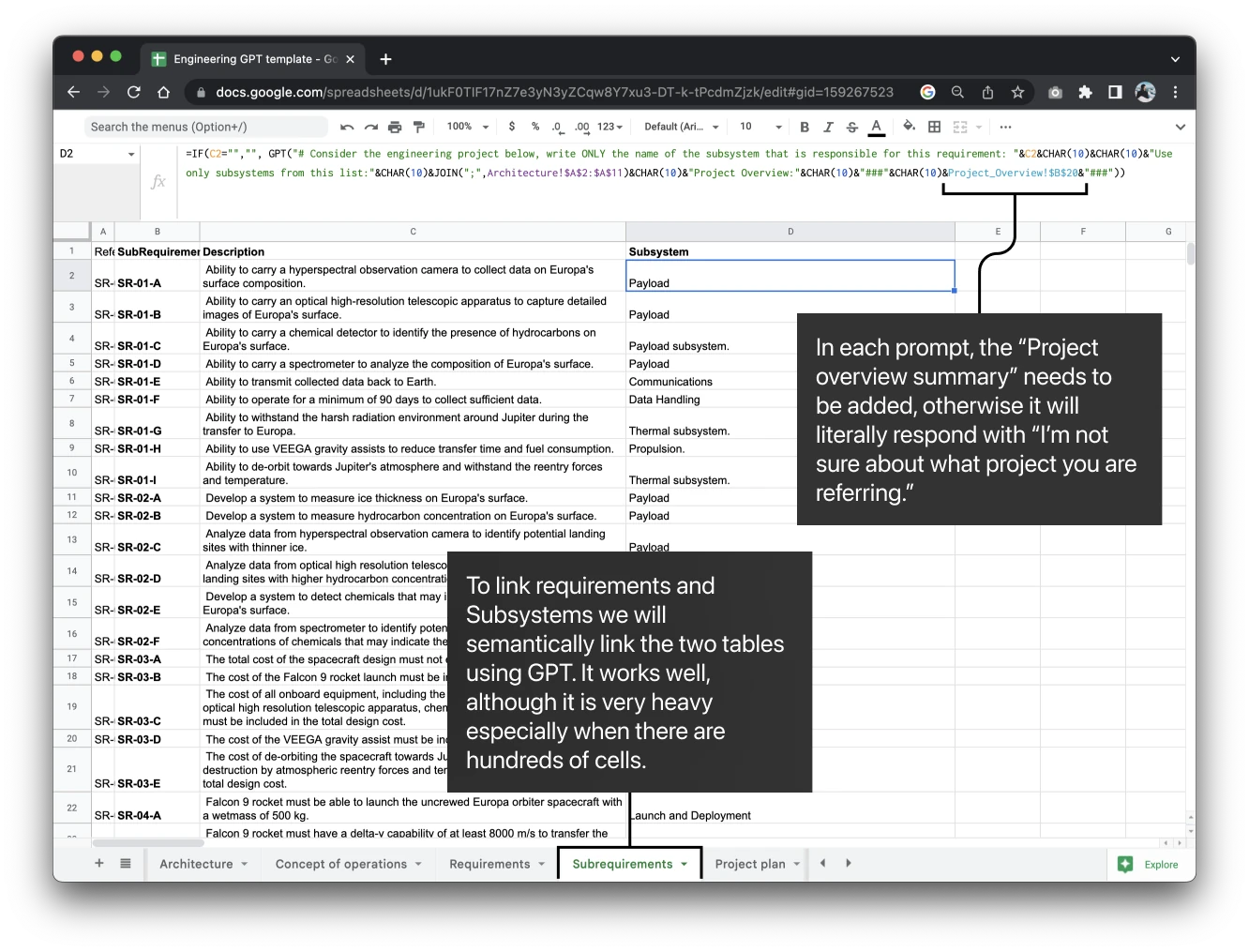
Semantic matching
In my experience, this is a major GPT use-case: matching data with semantics.
Concept of operations
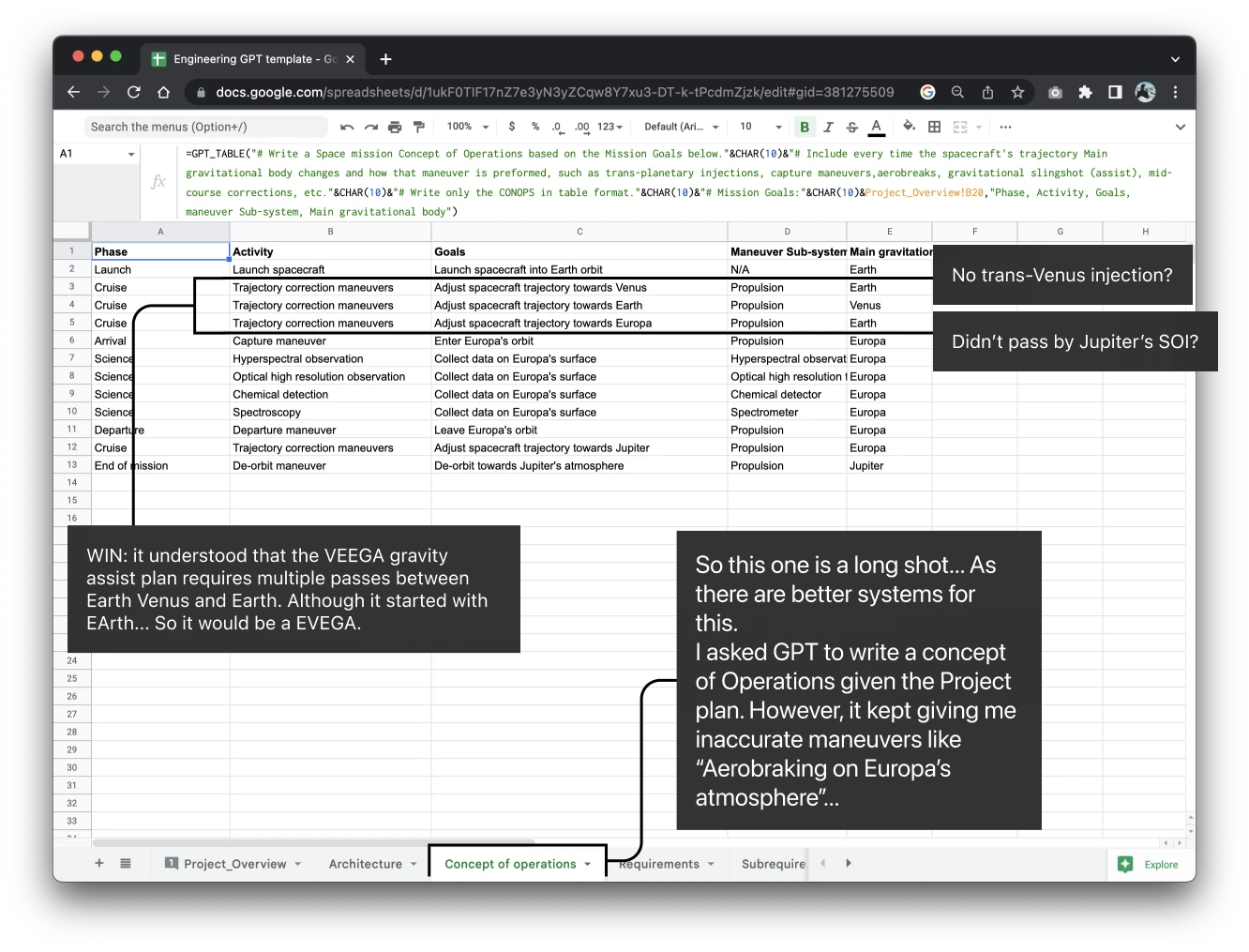
Now, as I mentioned before, GPT is not a source of science. And asking it for a CONOPs took some time, and many iterations. It would sometimes hallucinate strange actions like “Aero-break capture in Europa’s Atmosphere”. In the end, this type of data should not be generated by an AI (yet).
Sidenote
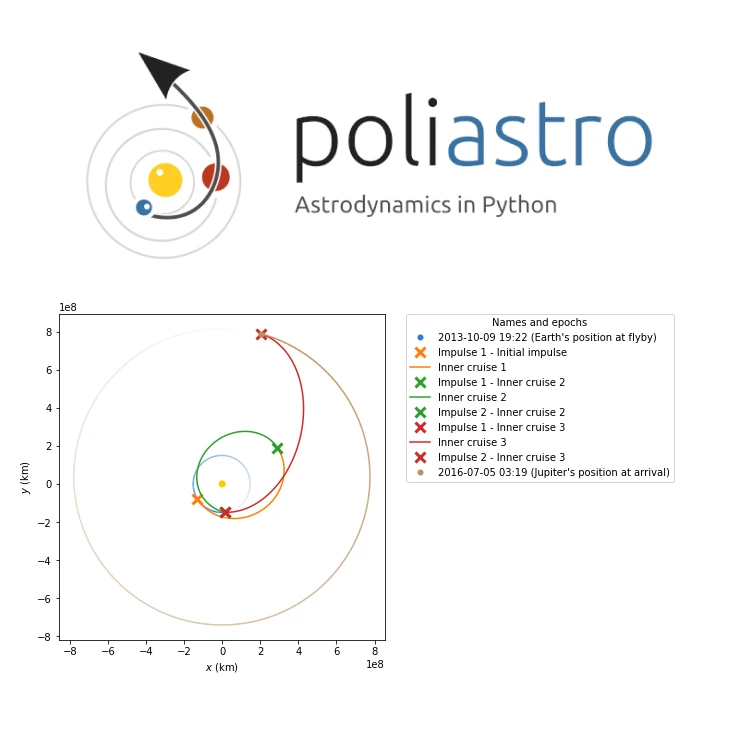
However, I have some ideas on how eventually training a GPT analog with libraries such as Poliastro can turn astronavigation into an automated task (Space Autopilot?).
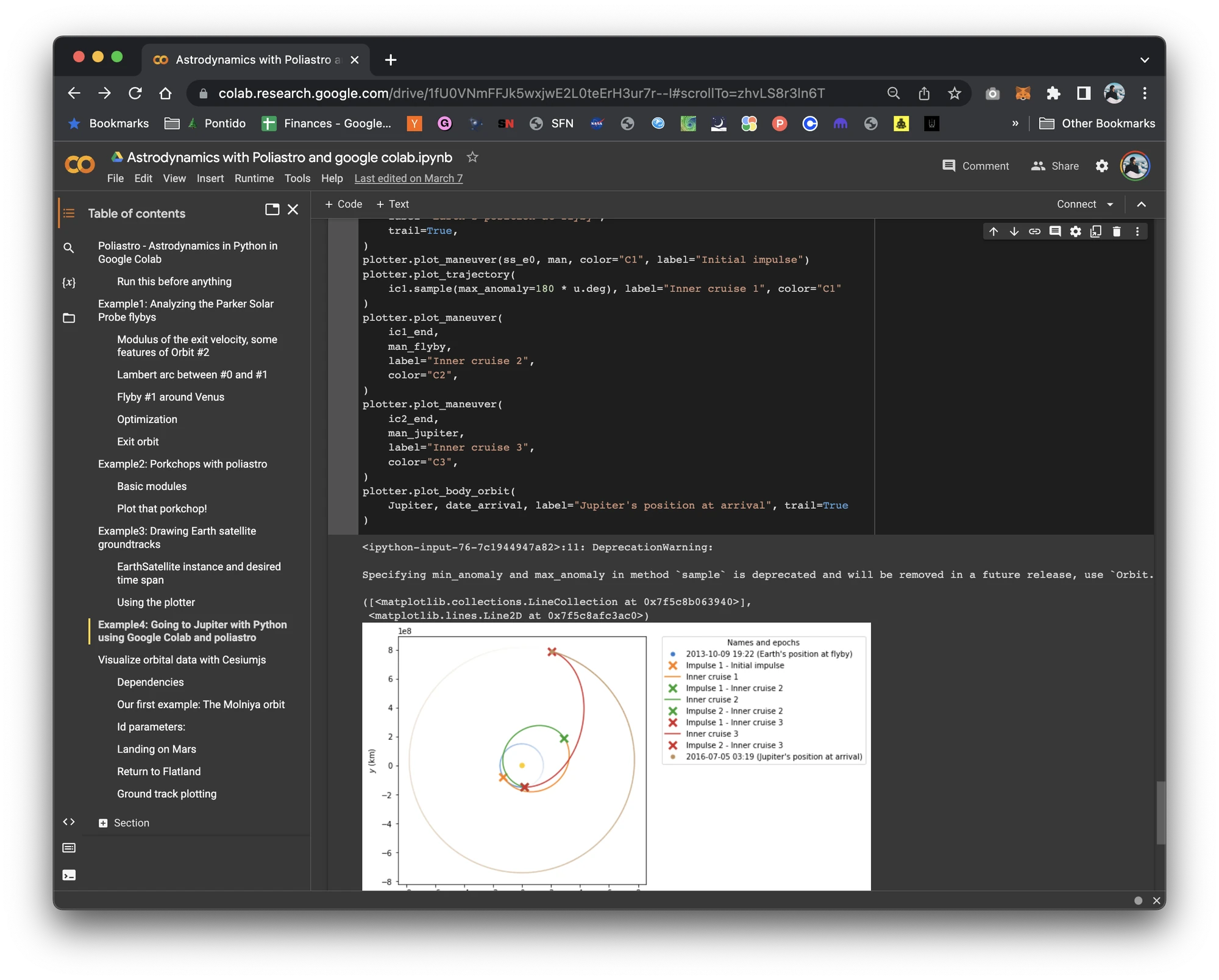
Here’s a plan I made in Poliastro, starting from its Juno example, using ChatGPT as a reviewer for a flight plan to Jupiter using an Earth flyby for gravity assist (the dates are the Juno mission’s).
You can check out the Colab document here: https://colab.research.google.com/drive/1fU0VNmFFJk5wxjwE2L0teErH3ur7r--I?usp=sharing
Project plan
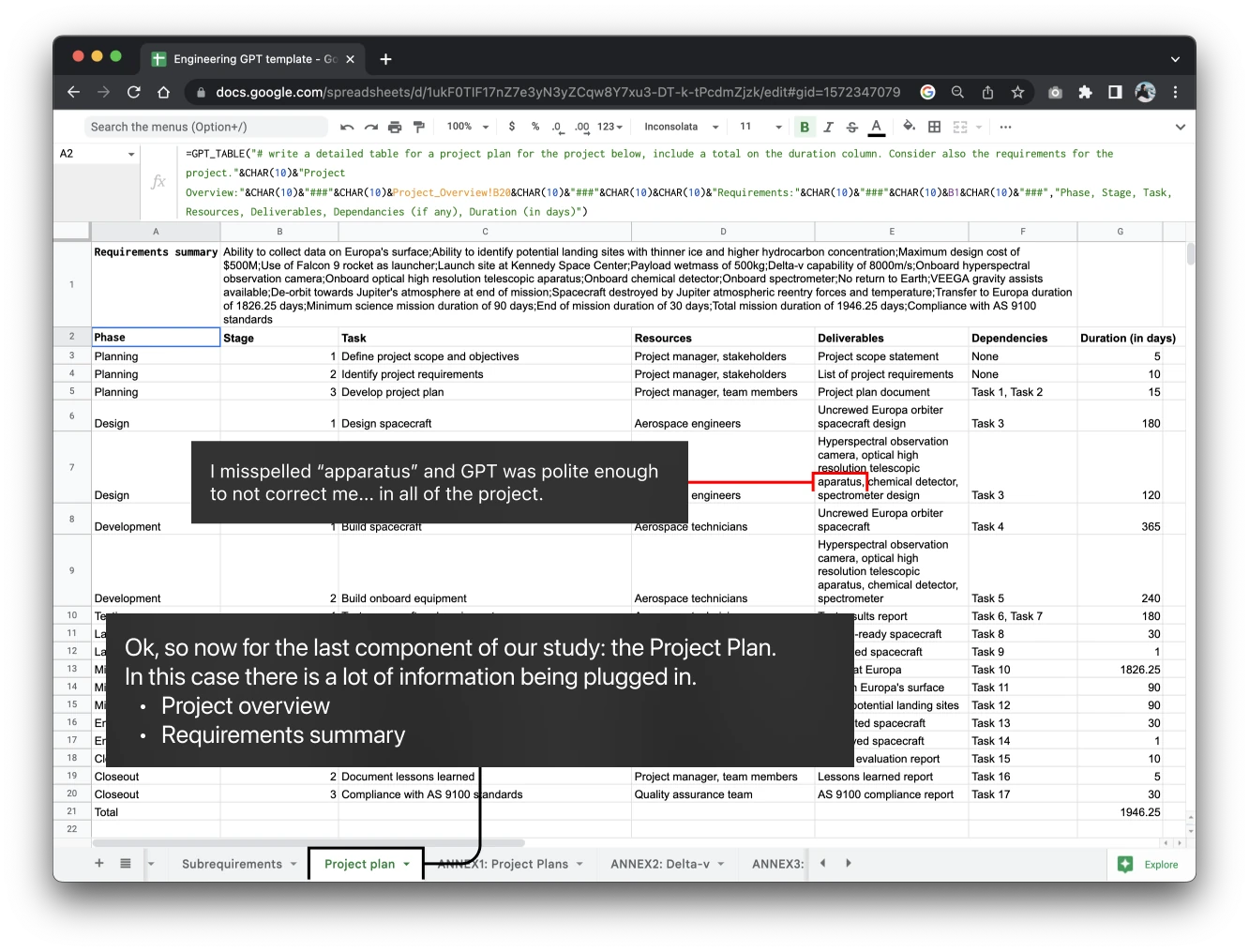
Alright, let's wrap this in a nice plan. This was the most expensive single query. Also, I did misspell “apparatus” and GPT just trusted me and replicated that word everywhere.
Cost analysis
Although OpenAI is doing an amazing job in scaling the GPT API and therefore lowering the price, it is still somewhat expensive.
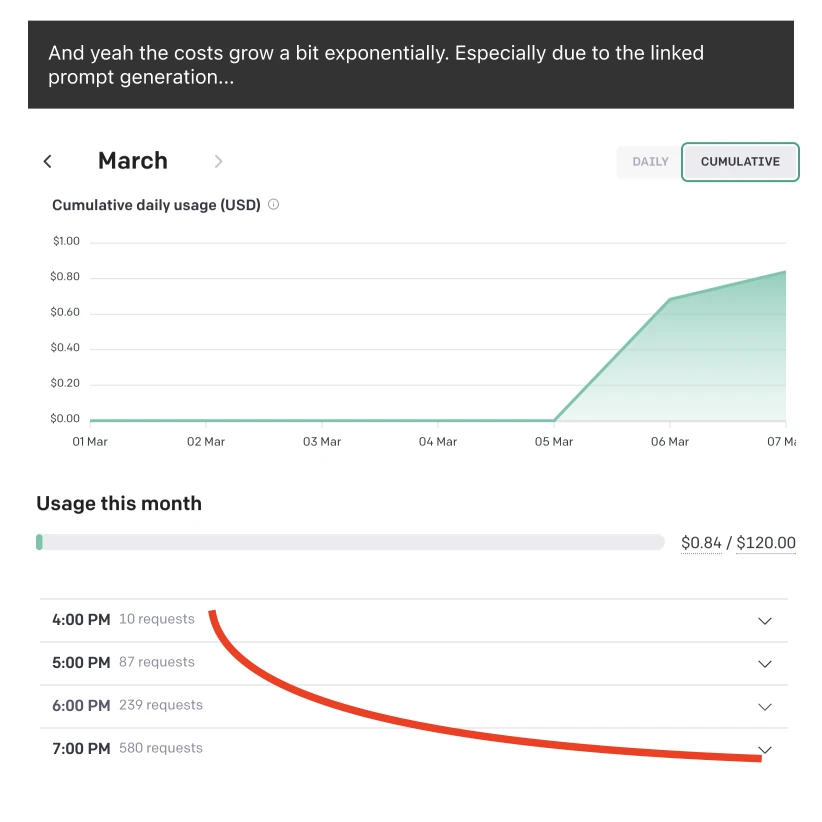
In the end, working on this file cost me not much less than $1. Mainly because I used a few dozen prompts, and because the prompts refresh when the document is reloaded.
As you can see below, the number of requests grew exponentially as the document grew in number of cells and iterations.
Ways to reduce cost:
-
“Bake” your generations and add your prompt as a comment. This avoids the queries firing every time the document is reloaded or opened.
-
Avoid “drag and drop”, especially when using linked queries (like the ones I did above), as your token usage will exponentiate.
Conclusion
GPT can definitely be used for engineering projects as a “delta” increase in productivity. It is great at extrapolating explanations from data and organizing explanations into data. However, we still need a mix between GPT and a rigid scientific, logical, and mathematical engine.
In the meantime, be my guest to copy this template, I’m looking forward to seeing if you find it useful and what you will use it for.
Template link: https://docs.google.com/spreadsheets/d/1ukF0TIF17nZ7e3yN3yZCqw8Y7xu3-DT-k-tPcdmZjzk/edit?usp=sharing
Oh, and feel free to reach out!